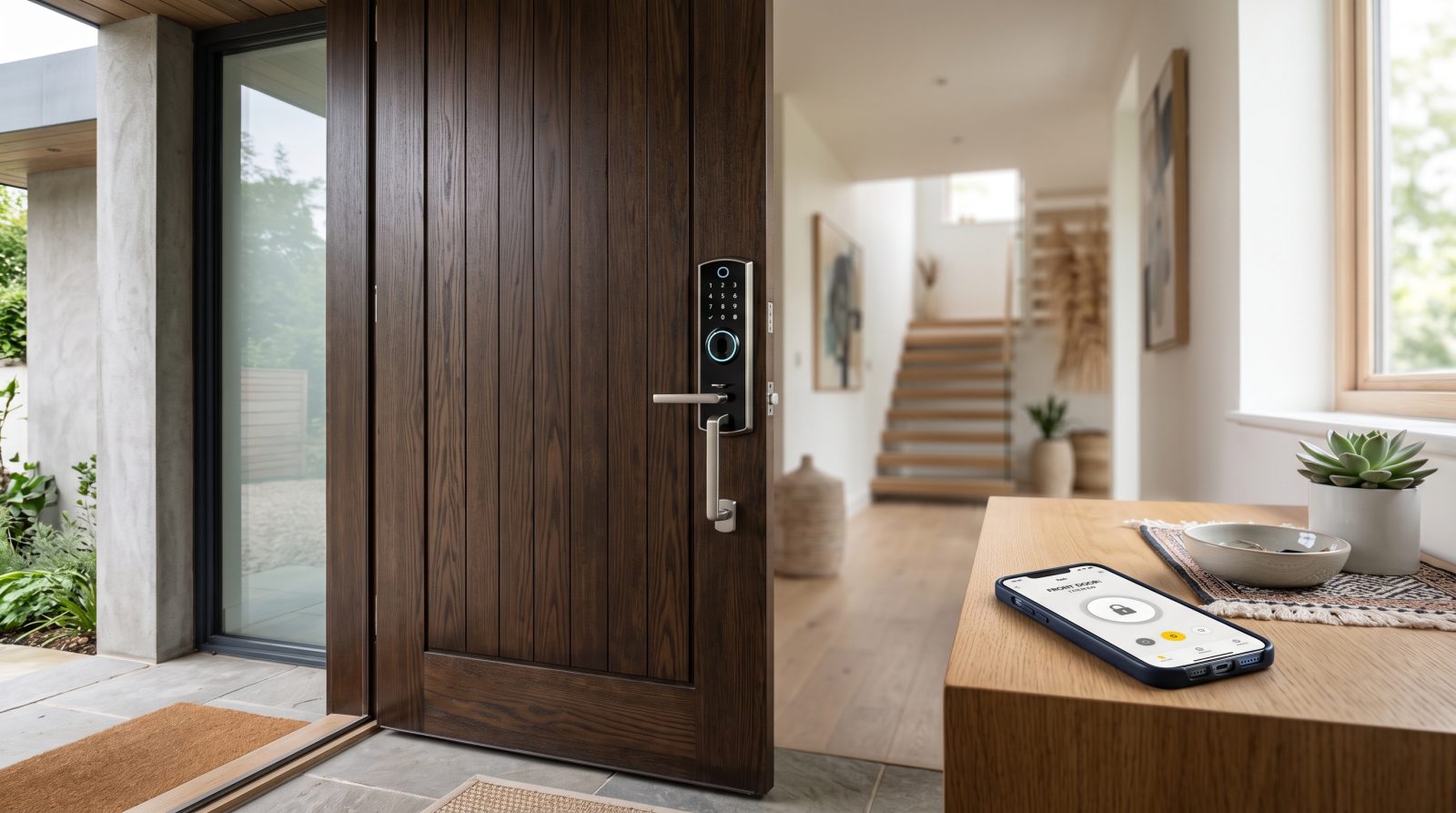
What smart lock installation actually involves
A smart lock installation is mostly careful door work plus a software setup. The technician first checks that your door fits the lock: standard residential deadbolts use a 2-1/8 inch bore hole, a 1 inch edge bore, and a backset of either 2-3/8 or 2-3/4 inches. Most modern smart deadbolts mount on this standard footprint, so on a typical pre-drilled door no new holes are needed. If your door is solid wood, has an unusual thickness, or was previously fitted with a mortise lock, we measure and adapt before touching the hardware.
Once compatibility is confirmed, the old deadbolt or lever comes off, the new latch and strike are aligned so the bolt throws fully without binding, and the lock body is mounted plumb and snug against the door. A poorly aligned bolt is the most common reason a smart lock jams or drains its battery, so we test the throw repeatedly and adjust the strike plate as needed. Finally, we seat the batteries, run the device's factory calibration so the motor learns the locked and unlocked positions, and verify the bolt extends and retracts cleanly on app and keypad commands.
The software half is what makes it a smart lock: creating the owner account, setting a master code, programming any guest or recurring codes you want, enabling auto-lock and door-ajar alerts, and connecting the lock to Wi-Fi, a bridge, or a hub so you can control it remotely. We finish by handing the account fully to you, with the admin credentials in your name, never ours.
Which smart locks can be installed, and how they connect
Smart locks fall into a few clear categories, and the right one depends on your door, your phone, and the rest of your home. Knowing the type up front helps your installation go smoothly and avoids buying a lock your door or network can't support.
Connectivity matters as much as the lock body. Bluetooth-only locks pair directly with a phone within range and need no internet; adding Wi-Fi or a bridge is what enables locking and unlocking from anywhere. Many newer locks also support Matter over Thread, an industry standard backed by Apple, Google, Amazon, and Samsung that lets one lock work across multiple ecosystems instead of being tied to a single app.
- Smart deadbolts: the most common home upgrade, replacing your existing deadbolt with a motorized version that keeps a physical key backup.
- Keypad and code locks: enter a PIN instead of carrying a key, ideal for kids, guests, or service visits.
- Retrofit locks: mount on the interior side and turn your existing thumb-turn, so the exterior keyhole and your current keys stay unchanged (useful for renters).
- Fingerprint and combo locks: add biometric unlock alongside codes and app access for faster, key-free entry.
- Connectivity options: Bluetooth (phone-range only), Wi-Fi or a plug-in bridge (remote access), Z-Wave or Zigbee (hub-based), and Matter over Thread (cross-platform standard).
How we integrate your lock with your smart home
Integration is where a smart lock becomes genuinely convenient instead of just a fancy deadbolt. After the lock is mounted and calibrated, we connect it to the platform you already use so it shows up alongside your other devices. That usually means Apple Home, Google Home, Amazon Alexa, or Samsung SmartThings, and for locks that support it, a single Matter pairing can register the device across more than one of those at once.
We set up the everyday behaviors most people actually want: auto-lock after a set delay so the door is never left unsecured, lock and unlock status visible from your phone, low-battery alerts so you're never caught off guard, and time-limited or recurring access codes for family, dog walkers, or cleaners. If you have a video doorbell or compatible hub, we can link the lock so you can confirm who's at the door before granting entry.
Voice control is part of the setup when you want it, with one important note we always explain: for security reasons, most platforms allow voice commands to lock a door freely but require a spoken PIN or disable voice-unlock entirely. That's by design, and we configure it to match your comfort level rather than leaving defaults you didn't choose. Throughout, your network password, your account, and your codes stay in your hands.
Rekey vs. new lock vs. retrofit: choosing the right approach
Not every smart lock job is a full hardware replacement, and choosing the right path saves money and hassle. The decision usually comes down to your door, whether you rent or own, and how much of your existing setup you want to keep.
If you own your home and your door uses standard hardware, a full smart deadbolt replacement is the cleanest result: one cohesive unit, keypad and app in one, and a physical key backup. If you rent or simply want to keep your current keys and exterior look, a retrofit lock that mounts over the interior thumb-turn lets you add app and code control without altering the outside of the door, which is often the easier conversation with a landlord. And if your concern is really about who has keys rather than adding technology, a traditional rekey, changing the lock's internal pins so old keys no longer work, may be all you need and costs far less than any smart lock.
We'll tell you honestly which option fits. If a rekey solves your problem, we'll say so rather than upselling a smart lock you don't need. When you request a quote, describing your door and your goal helps us recommend the most cost-effective route before we arrive.
What smart lock installation typically costs
Pricing has two parts: the lock itself and the labor to install and set it up. The figures below are typical industry ranges for the San Jose area, provided to help you budget. They are estimates, not quotes, and your actual price depends on the lock you choose, your door's condition, and how much integration work is involved. We confirm a flat number before any work begins.
Most standard installs on a door that's already drilled for a deadbolt are straightforward and quick. Costs rise when a door needs new boring, when an old mortise or non-standard lock has to be adapted, or when multiple doors and a more involved smart-home integration are part of the job. Because lock retail prices vary widely by brand and feature set, many homeowners buy the lock themselves and pay only for professional installation and setup.
- Smart lock hardware (homeowner-purchased): roughly $100 to $350 retail depending on brand, keypad, fingerprint, and connectivity features.
- Professional installation and setup labor: commonly around $75 to $200 per lock for a standard door, including app pairing and code programming.
- Door modification (new bore hole or hardware adaptation): an added charge when a door isn't already set up for the lock.
- Smart-home integration time: additional setup may apply for hub pairing, multi-platform Matter linking, or automations across several devices.
- Rekey alternative: typically far less than a smart lock if changing who has keys is your only goal.
Why hire a local Locksmith San Jose for the job
Plenty of smart locks are sold as DIY, and many homeowners do install them successfully. Where professional help pays off is when the door fights back: a bolt that won't throw fully, a strike plate that's slightly off, a non-standard backset, or a lock that keeps reporting it's jammed. These are alignment and fit problems, and they're exactly what a locksmith diagnoses and corrects daily, so you end up with a lock that works reliably for years instead of one that drains batteries and frustrates you.
As a local mobile locksmith serving San Jose and the wider South Bay, we come to you, bring the tools to adapt the door if needed, and stay until the lock is mounted, calibrated, integrated, and tested. Just as important, we set up the account in your name and hand over full admin control, with a clear walkthrough of how to add and remove codes yourself later. You should never depend on the installer to manage access to your own home.
You can reach us at (408) 614-7111, or request a free quote on this page. Tell us your door type, the lock you have or are considering, and how you want to use it, and we'll confirm a flat estimate and a time that works for you.